


Flowx: Weather Map Forecast
4.2838.00 Reviews
App Specs
- Version
- 4.148
- Updated On
- License
- Free
- Downloads
- 500,000+
- Developer
- Flowx Weather App
- Categories
- Weather
- Platform
- Android
Screenshots
 Analysis by AppCompare
I judge a weather app by whether it helps me make a better decision, not just by how much information it can put on a screen. Flowx: Weather Map Forecast makes its case through visual forecasts: instead of relying only on a short sentence about rain or sunshine, I can watch weather patterns move across a map and compare different kinds of conditions over time. That approach is useful when a simple glance is not enough, though it asks more of you than a conventional forecast app.
Flowx is a free weather app from Flowx Weather App, with optional in-app purchases ranging from $1.99 to $19.99 per item. It has a 4.2 average from around 7.7K ratings, and more than 500K installs. The app is for everyone, and its current version is 4.146, with Android 8.0 as the minimum OS. Those figures suggest a well-established option, but the real question is whether its map-first style suits the way you check the weather.
When seeing the forecast matters more than a one-line answer
I find a map-led forecast especially helpful when I need to understand what is approaching, rather than only what the sky might be like at my exact location. If rain is moving across a region, the animation can help me judge whether it is likely to reach my route or pass nearby. That is a different kind of practical value from a basic “rain later” notification: it gives me context to think through timing and direction.
For an ordinary day, I might check the map before walking to an appointment, then look again before cycling home. For a weekend drive, I can scan the broader area before deciding whether to leave early or build in time for a weather delay. I would still treat any forecast as a guide rather than a guarantee, especially when plans depend on precise timing. Flowx is most useful when the visual pattern helps me make a flexible plan.
Forecast layers reward a little exploration
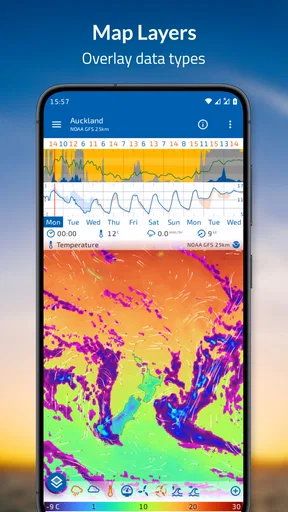
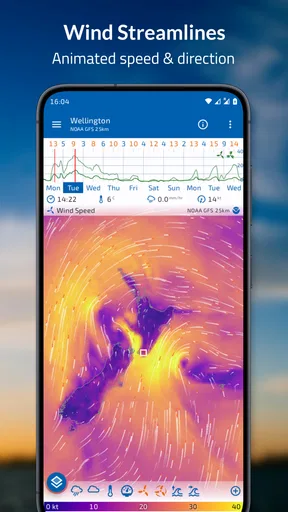
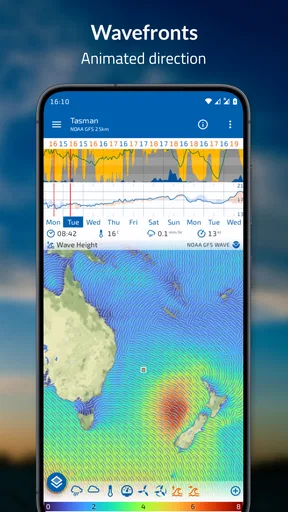
The ability to view different overlays, including precipitation, temperature and wind, is one of the app’s clearest strengths. Rather than making me jump between separate forecast cards, Flowx lets me explore conditions on a map. That makes it easier to notice when the question is not simply “Will it rain?” but “Will wind make this route uncomfortable?” or “Is the wet weather likely to reach the area I care about?”
A useful habit is to check one layer at a time instead of turning the map into a wall of information. I would start with the condition that matters most for the decision, then compare another layer only if it changes the plan. For example, precipitation may shape whether I carry a rain jacket, while wind can matter more for an exposed walk. This keeps the map readable and makes the forecast easier to act on.
Timeline control is a strength, with a learning curve
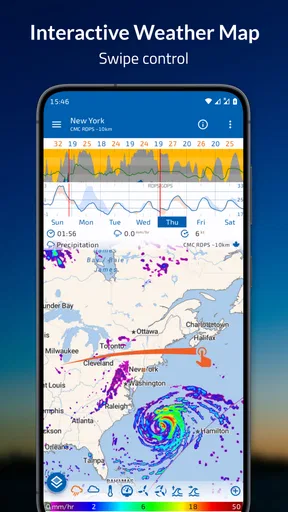
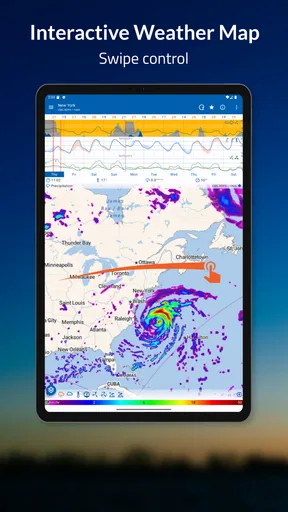
Swiping through the timeline gives the forecast a sense of movement. Instead of reading a list of future periods, I can follow how conditions change across the map. I like that for seeing whether a patch of rain is passing through or whether the overall pattern looks more persistent. It turns forecast checking into an active task, which is engaging if you enjoy interpreting weather rather than simply receiving an answer.
Worth Reading Before You Choose

EA SPORTS FC Mobile 26 Is a Bigger Football Game, but It Takes Time

Flipboard Shows What News Apps Must Do Beyond the Feed

Switching to Android Auto Means Rethinking Your Driving Routine

Google Calendar Makes a Crowded Week Easier to Manage

Ludo King Makes the Most of the Minutes Between Plans

Baby Panda World Brings Quick Play to Modern Phones, but Its Game Library Feels Busy
There is a trade-off: a moving map can look more certain than a forecast really is. I try not to read a particular frame as a promise about exactly when rain will start at my doorstep. It is better used to compare broad trends and possible windows for an outdoor plan. If I only want a quick temperature and a plain-language chance of rain, a simpler app will usually get me to that answer faster.
How Flowx fits into a real weather routine
In a practical routine, I would use the map to make the first decision, then check again closer to the time if the weather could change the plan. For instance, before taking a longer route through open countryside, I can look at the wider pattern and decide whether to leave room for a stop or choose a more sheltered alternative. The benefit is not perfect certainty; it is having more context than a single icon can provide.
What it does better than a standard forecast screen
Many familiar weather apps put the local temperature, a condition icon and a short forecast first. That is convenient, and I would prefer that kind of screen when I am rushing out the door. Flowx puts more emphasis on seeing weather spatially and moving through time. Compared with a standard forecast card, its advantage is context; its cost is that I need to look, interpret and decide for myself.
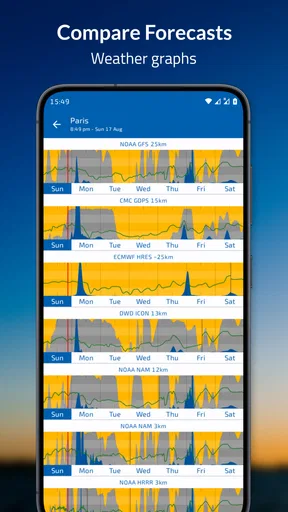
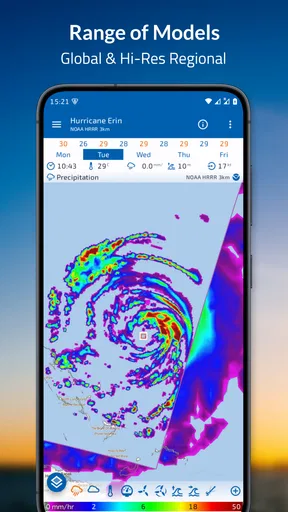
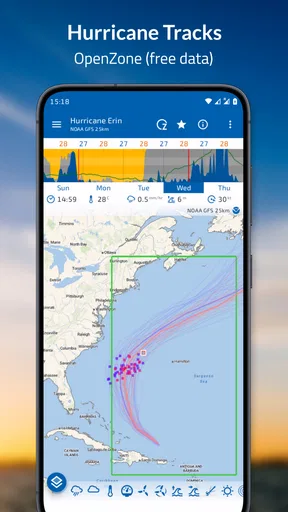
The app’s store summary also points to multiple forecast models, radar, sun and moon information, and hurricane tracks. Those tools broaden its appeal beyond checking the temperature, especially for people who follow changing weather systems. I would approach model comparisons as a way to notice uncertainty, not as a contest where one view must be unquestionably right. When forecasts differ, that disagreement is itself a reason to keep plans adaptable.
Who will enjoy it, and who may prefer another app
I would recommend Flowx to people who like maps, follow weather closely, or regularly make plans where wind and precipitation patterns matter. Hikers, cyclists, gardeners and road-trip planners may appreciate being able to explore a wider area instead of checking only one saved location. It can also be a good fit for curious users who want to understand the shape of a forecast, even when they do not need specialist-level detail.
I would not make it my only recommendation for someone who wants a large, immediate “rain in ten minutes” style answer, or who finds layered maps distracting. A straightforward local forecast is more suitable when speed and plain language matter most. Likewise, anyone making a safety-critical decision should use appropriate official guidance rather than treating an animated forecast as a definitive warning. Flowx is a planning aid, not a substitute for judgement.
Small habits that make the maps more useful
One practical way to avoid misreading the display is to pause at several points on the timeline instead of watching the animation once and making a snap decision. I would compare the period before, during and after an expected change, then ask whether the overall pattern supports the plan. If I am deciding when to leave, I care more about a workable window than about pretending I can predict the exact minute conditions will shift.
I would also keep the area I inspect matched to the question. A nearby walk may call for a close look at local conditions, while a drive across a region calls for a wider view. Zooming in can make details easier to inspect, but it does not make a forecast perfectly precise. That distinction is easy to forget when a map looks detailed, so I treat it as a visual aid for planning rather than proof of what will happen at one particular street.
Getting started without turning weather into homework
Because the map offers more than a single number, new users may need a little time to learn which view answers their usual questions. I would begin with one location and one or two relevant overlays, then explore the timeline before adding more complexity. That gives the app a fair chance without making every forecast check feel like a research session. Once the basic gestures feel familiar, the visual approach becomes much less intimidating.
Flowx was released on December 21, 2012, and has continued to evolve; its current version is 4.146. I see its longevity as useful context, but I would still judge it by whether its interface fits my habits today. The free entry point makes it possible to try the map-first approach before deciding whether any optional purchases are worthwhile for your needs. I would not assume that paid features are necessary for every user; the right choice depends on which parts of the experience you actually use.
Questions about everyday practicality come down to a few choices: Do you need a quick local answer, or do you want to inspect a changing weather pattern? Are you willing to interpret a map, and will seeing wind or precipitation across a wider area change what you do? If the answer is yes, Flowx can earn a place in your routine. If you mostly check whether to take an umbrella, a simpler forecast may be the better fit.
Getting Started with Flowx
So, I downloaded Flowx: Weather Map Forecast on my phone and, honestly, getting it up and running was a breeze. No pun intended! The interface is super user-friendly. Right from the get-go, it felt like I was a meteorologist in the making. The app allows you to view weather data in a way that's not only informative but also visually appealing. It's got these smooth animations that make checking the weather oddly satisfying.
The Features that Stand Out
Let’s talk about the features that really make this app shine. First off, the ability to customize your weather maps with data overlays is just awesome. You can see precipitation, temperature, wind, and more. It’s like having a mini weather station in your pocket.
Another thing I loved is the timeline feature. You just swipe your finger across the screen, and you see how the weather changes over the days. It’s like fast-forwarding through a weather movie. Plus, the detail in data is insane. You can zoom in and get super granular info about the weather in your specific location.
User Experience and Design
Now, let’s chat about user experience. The design is clean and minimalistic, which I really appreciate. No clutter, just the info you need. The app also doesn’t bombard you with ads, which is a huge plus in my book. It’s all about the weather, and it keeps you focused on that.
Navigation is intuitive. You won't find yourself lost in a sea of settings, and everything is just a few taps away. The app runs smoothly, and I didn’t encounter any bugs or crashes, which is always a relief.
Why Flowx Stands Out
Here’s the thing: there are a ton of weather apps out there, but what makes Flowx: Weather Map Forecast different is its focus on data visualization. It’s not just about telling you if it’s going to rain or shine; it’s about showing you the how and why. For those who love diving deep into data, this app is a dream come true.
Oh, and did I mention it’s available for both Android and iOS? That’s right, no matter what device you’re on, Flowx has got you covered. It syncs across devices too, so your customized maps and settings are always with you.
Final Thoughts
In conclusion, if you’re looking for a weather app that offers more than just the basics, Flowx: Weather Map Forecast is worth checking out. It’s engaging, informative, and surprisingly fun to use. Whether you’re a weather enthusiast or just someone who likes to plan their day, this app is a fantastic tool to have. So go ahead, give it a whirl, and see if it becomes your go-to weather app like it did for me.
Ready to take your weather checking to the next level? You can find the download links for both Android and iOS on our website. Trust me, once you try it, you'll wonder how you ever planned without it!
Pros
- Intuitive interface for easy navigation.
- Customizable weather variables and graphs.
- Accurate and up-to-date forecasts.
- Offline mode for seamless access.
- Detailed radar and satellite imagery.
Cons
- Steep learning curve for beginners.
- Limited free features available.
- No real-time severe weather alerts.
- Occasional app crashes reported.
- Heavy on battery usage over time.
FAQs for Flowx: Weather Map Forecast
What is Flowx: Weather Map Forecast used for?
Flowx is a sophisticated weather app that provides users with detailed weather maps and forecasts. It offers real-time data and visualizations, allowing users to understand weather patterns effectively. The app is particularly useful for planning outdoor activities, as it provides detailed information on temperature, precipitation, wind speeds, and more.
How accurate is the weather data in Flowx?
Flowx sources its weather data from reliable meteorological services, ensuring high accuracy. It uses global models like GFS and ECMWF, which are respected for their precision in weather forecasting. However, it's important to note that weather predictions can still vary, and local conditions might affect accuracy.
What features does Flowx offer to its users?
Flowx offers an array of features, including interactive weather maps, radar overlays, and customizable graphs. Users can personalize data layers to display various weather elements like temperature, precipitation, and wind. The app also provides a timeline feature, allowing users to view weather changes over time, which is ideal for planning.
Is Flowx suitable for professional use or only for casual users?
Flowx caters to both casual users and professionals. Its detailed maps and customizable data make it suitable for meteorologists, pilots, and outdoor enthusiasts who require precise weather information. Casual users will also find the user-friendly interface and simple forecasts helpful for everyday weather checks.
Are there any costs associated with using Flowx?
Flowx is available for free, but it also offers a premium version called Flowx Pro. The Pro version provides additional features like enhanced map layers and longer forecast periods. This subscription is ideal for users who need more detailed weather data and greater customization options.


